
The first thing to know about this site is that there are both objective and subjective posts. Objective posts can usually be edited by anyone (unless they might be controversial) and they deal with facts. For instance, this post on greatest rock bands can be edited by anyone because the list may change, or someone may add another way of determining popularity like comparing the number of times songs have been played on the radio by each band.
Subjective posts are personal and shouldn't be edited by others. An example of this is this user's astrology quiz which takes a certain stance on astrology, and this user's theory on Ferris Bueller. Since the Ferris Bueller post is asking for user input, it will need to wait for the addition of comments, which is coming soon! You can learn more in the "Who can edit your posts?" section below.
You can get started by asking a question, writing something you know about, or writing about something you're interested in.
Simple starter ideas
What industry do you work in? Is there something about your industry that others might find helpful or entertaining? Almost everything is allowed. Have a good story about an on the job experience? Make a post and use the "Story" and "Personal Post" tags, or create another tag if you don't find a relevant one! Just don't post violence or any other similarly frowned upon material and you'll be good!
Do you follow any sports teams? You could ask a question about who the impact player on that team might be next year. Or you could write about your abject depression or happiness regarding recent team events.
What about science? Any questions about why the sky is blue, how the moon formed, or similar are a good place to start!
Who can edit your posts?
By default, anyone with an account can edit your posts. This makes sense in the case of questions or informational posts that could change over time. However, there are many instances in which posts shouldn't be edited by others. For those, you can add any of the tags "Blog", "Free Speech", "Opinion", or "Personal Post". If you add one of those tags, no one else can edit that post except you.
In the future, I may take away the "edit by default" feature if a majority of posts are making use of one of the aforementioned tags. If this or any other feature bothers you don't hesitate to provide feedback! This is Beta testing after all!
Using components
You don't have to use components, or any of the items in the menu bar. But it is a good idea to play around with some components to see what can be done!
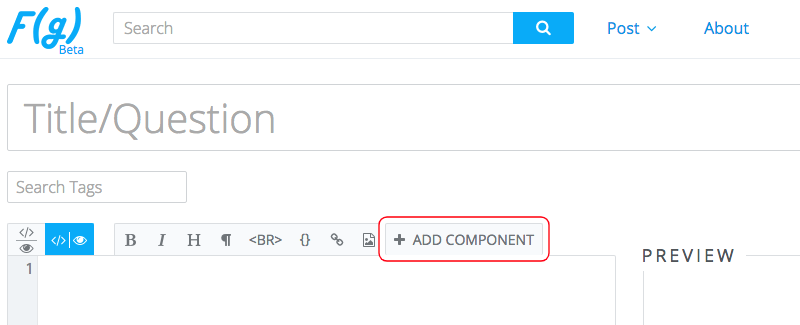
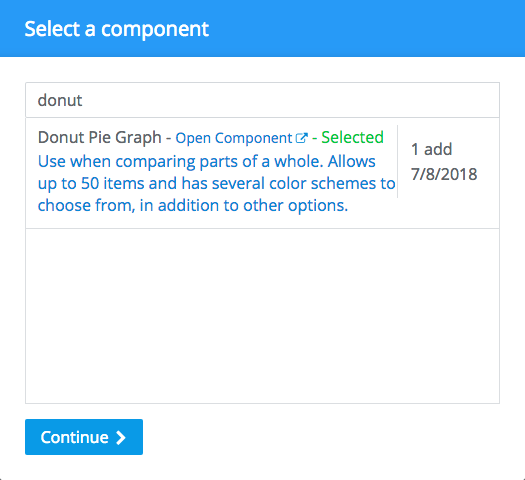
Here's an in-depth walkthrough to add a donut pie chart to a post:
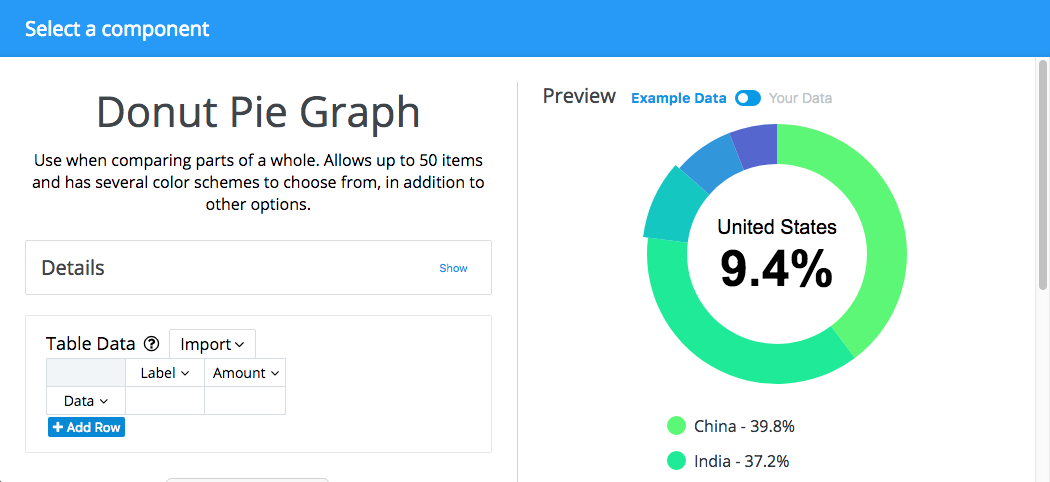
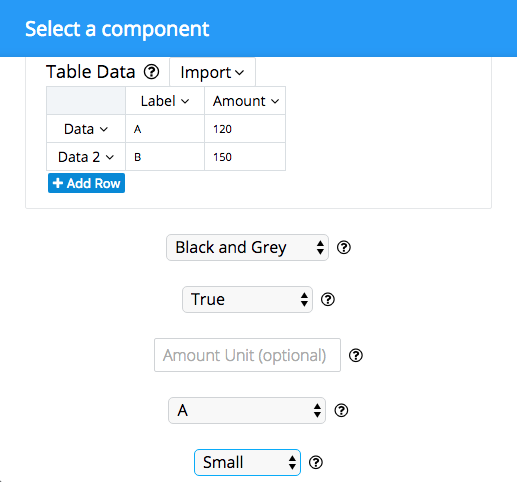
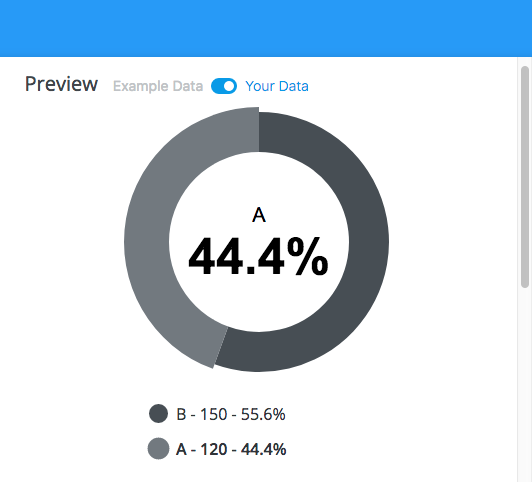
And voila! Here is the result! (click "View Code" on the top right part of this page and you can check out all of the components I used to make this post)
Providing feedback
Provide feedback when you're logged in by hovering over your username in the top right corner. The dropdown menu that appears has the "Feedback" button.
Editing the code
The text editor for posts is an HTML editor, so you are free to enter HTML, CSS, and JS into it. Posts run in a sandboxed iframe until approved. We also make use of a strict Content Security Policy which prevents clickjacking, and prevents users from changing external script files after approval. Learn more about our Content Security Policy here.
Creating Components
Coders can also create components for others to add to their posts. Components are inaccessible by others (even with a direct link) until approval. Learn more about what goes into a component here.